



Don’t you have a back monitor?
This post is about coding with AI tools like Cursor, Codex, or Antigravity by feeding the specifications for their context to get better results from the used tool. The motivation to do so is simple – LLM-based tools fill the gaps by guessing in the knowledge they do not have, and by giving (good) specification as a context, the coding results the tool outputs are better. This method allows developers to use AI coding tools effectively in enterprise projects as well.
To explain the Idea I do a small demonstrable coding snack. I’ll talk a bit about how this scales at the end. The demo is the coding part from my 2003 master’s thesis (fluid dynamics for computer graphics). For me, it was a fun thing to get back into and a thing I would not have done again without help from these tools. It is not really a specification-heavy implementation when compared to any big corporate system, but still complex enough to be an interesting case.
My key points I’m going to discuss are:
1) The AI coding tools are not a gimmick but can create good code from good instructions.
2) Specification can be used as a context / relevant part of instructions to the AI.
Why bother with specifications?
We all know that specifications are not the most sexy thing there is. We rarely see maintained specifications anymore, so the upside of doing that should be quite big. It actually is – keeping a maintained specification allows using AI tools way more effectively. You can use this specification as context for an AI, which in turn helps the AI not to hallucinate your needs that much. This is actually a major issue with AI coding tools right now – they need good context to work well. Without it, they break existing functionality and create technical debt. When you feed the AI a better description of what you are doing, you can make changes to your code without breaking stuff so much.
I’ll walk through two use cases – making an MVP from a specification and then the more interesting one – maintaining software from specification changes.
Creating the specification
For this experimentation/demonstration case, I needed a specification. I thought that the easiest way to get it is just to reverse-engineer my old Thesis’s C++ code and make specifications out of that. I wrote a somewhat lengthy prompt with an explanation about what I need, along with a paste of my old code. In the explanation, I described the use case and constraints for the architecture to make sure I get what I want this time. For the sake of experimentation, I used ChatGPT 5.1, Gemini 3, and Claude Sonnet 4.5 to see which one gave the best outcome. All did quite well, but I picked the one created by GPT 5.1. That specification was not perfect – but for this experiment, that was actually a good thing to leave room for clear improvement.
So now I had the formed specification as a starting point that I could send to the AI development tool I want. Using Meliora’s prototype, I can now use the MCP from the coding tool to “Fetch the requirements and implement accordingly” from the requirement repository. For this test, I used Google Antigravity, but other tools like Cursor or Codex could be used as well.
Building and fixing the fluid simulation
1) Initial run. The tool ran for some time and made the project. The app didn’t start at first – a CSS file was in the wrong location. I pointed out the problem to the Antigravity, and it fixed it. Now the project could be run.
This is a disposable interaction with AI – a clear bug that just should be fixed, but no need to update the specification, make a task, or anything.
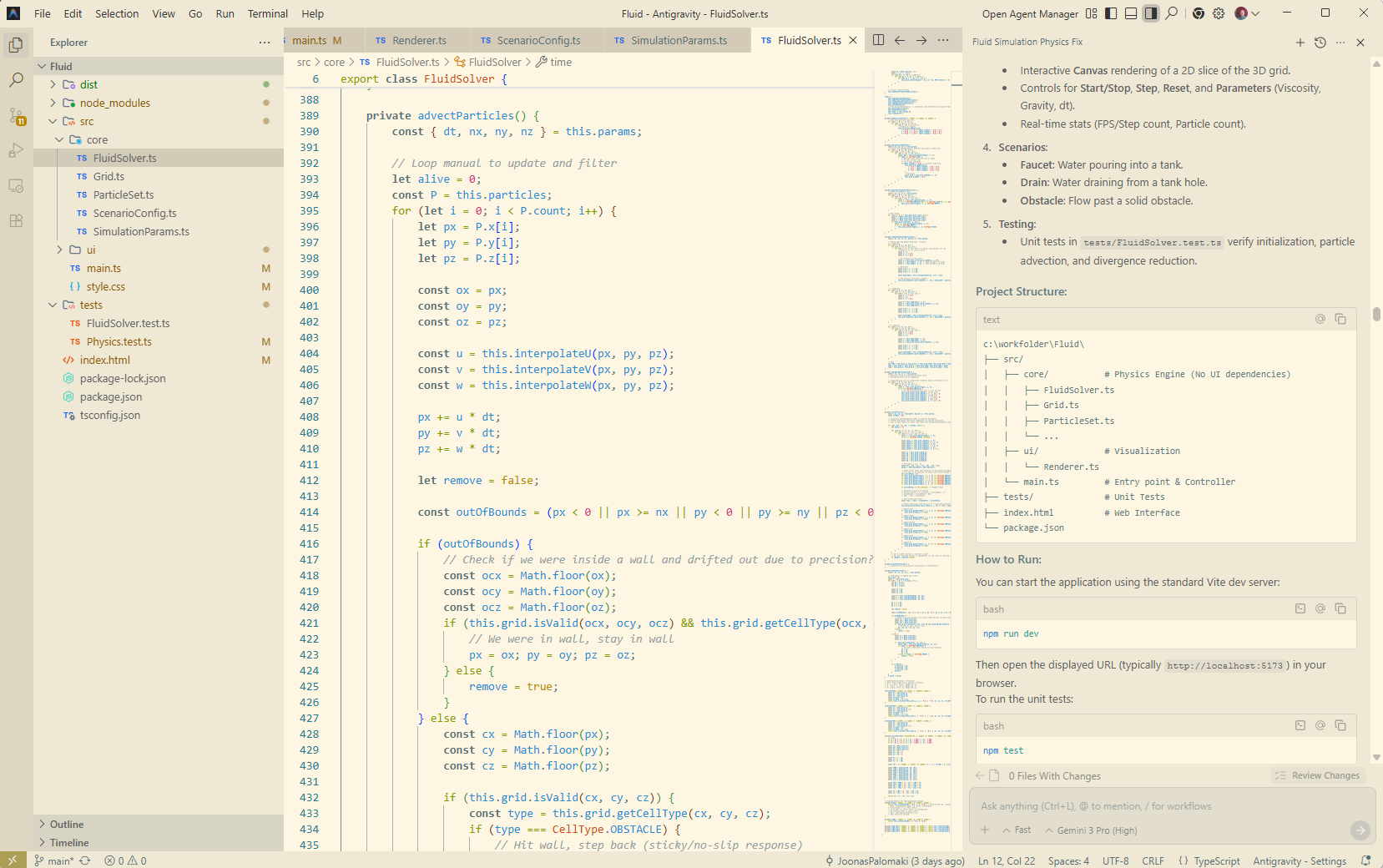
2) Making it 3D. The simulation ran, but the visualization was 2D. This was because the specification defined the visualization to be 2D or 3D. To improve the situation, I updated the specification and gave the task to the tool. It changed the visualization the way I wanted.
In this situation, there was a part of the specification that defines the UI, so it is easy to just change and add details about the needs.
3) Physics wasn’t working. The simulation just did not flow the water anywhere near correctly. I asked the tool to create unit tests for two small scenarios: a closed box half-filled with fluid should maintain the pressure, and an open container with a drain at the bottom should reduce the number of particles. If these tests fail, the AI tool would notice it and try to fix them. Completing this task took Antigravity a bit longer – tests were failing at first – it fixed the algorithm accordingly. In the end, the fluid flowed better, but not yet perfectly.
This time, it was somewhat easy for me to help AI by pointing out how to detect problems so the tool can fix them. I had done something a bit similar back then when I troubleshooted the flow simulation myself. When I originally implemented the fluid simulation, getting the fluid to flow correctly took the most time.
4) The flow speed was wrong. The simulation flowed fluid to correct direction, but too fast, and just changing the parameters did not fix the situation. Again, I gave the correction task to the AI tool, and this time wrote about the behavior with a threshold value of the parameter I observed, and also gave the tool a part of my old C++ code I suspected was related to the problem. The tool found the problem in the algorithm and fixed it. After it, the fluids flowed nicely!
The AI tool changed the implementation so that it did not follow the specification (by combining two steps ) anymore. Looking at the code, it did the work correctly, just in a bit different way. This means I should change the specification and stick with the code. One could ask if it makes sense to describe the parts of an algorithm in the specification, and rightfully so, but as the whole point of this little tool is to work with that algorithm, it makes sense to maintain that in the specification as well.
How does it feel
That’s where I left. Now I can implement changes by just making changes to the specification and sending the changes to Antigravity. That can, with a good enough success rate, complete the tasks right away or after a little troubleshooting. From my perspective, the code quality is good enough (It works, it is documented, and structured well enough). For this kind of app, this would be a very effective way to implement more features.
In this experiment, I did not write any code myself – I just read what the tool did output and felt happy about it. The tool did not one-shot correct code, but fixing those was fast enough and did not introduce new errors. From my point of view, this is a big thing – AI was able to nail a pretty complicated algorithm with only instructions on what to do. Working this way feels nice.
I’ve tried these AI coding tools every now and then, and in my experience, the models have progressed a lot. Just half a year ago, the tools made much stupider choices and were not able to finish jobs they can now. In some of my earlier hobby projects and experiments, I’ve felt the need to steer the architectural choices more than I did now – in this simple thing, it did pretty well what I asked it to do. Anyway, that is the level I feel I still need to put an effort into – not writing the lines of code.
What about larger projects?
This was, of course, a small project compared to enterprise endeavours. Larger scale brings two main problems that this example does not address:
1) Maintaining an up-to-date specification requires methodology and tooling to support it. It does not come free (Our company has been doing that even before the LLM boom, so it comes quite naturally for me, but it is not a drop-in piece for existing large projects). Also, I would point out that the things that should be written and maintained as specifications need to be decided anyway. If they are written on disposable tickets or kept in the head of someone, then why not write them down?
2) Are the AI tools effective in large projects? In my experience, generally and simply, yes. There are situations where the AI does not perform – then the traditional brainsweat is needed to do the work, but generally, using the AI tools, the coding work is just more effective. The bottleneck often is not the AI tools’ capabilities, but the missing context. Those tools are also quite new – people haven’t had time to master them yet, which is another factor limiting their effectiveness.
Then again, in larger projects, the negative side of missing the context when using AI tools is greater. When an AI tool has the possibility to check how something should be implemented (via an MCP call, for example), it will guess less and produce better results.
Whoever does the code for your software, AI, or a person, it needs to know what you want. Otherwise, it will be guessed. Specifications provide that knowledge in a form that both humans and AI can effectively use. Using specifications does not replace the context that a human developer has, but it helps the AI tools a lot.