


We are proud to announce a new Testlab version – Somerton Man. This version brings a major new integration with GitHub, with AI-powered acceptance test generation, and improvements across the board.
Please read on for more details on the changes.
Acceptance testing with GitHub
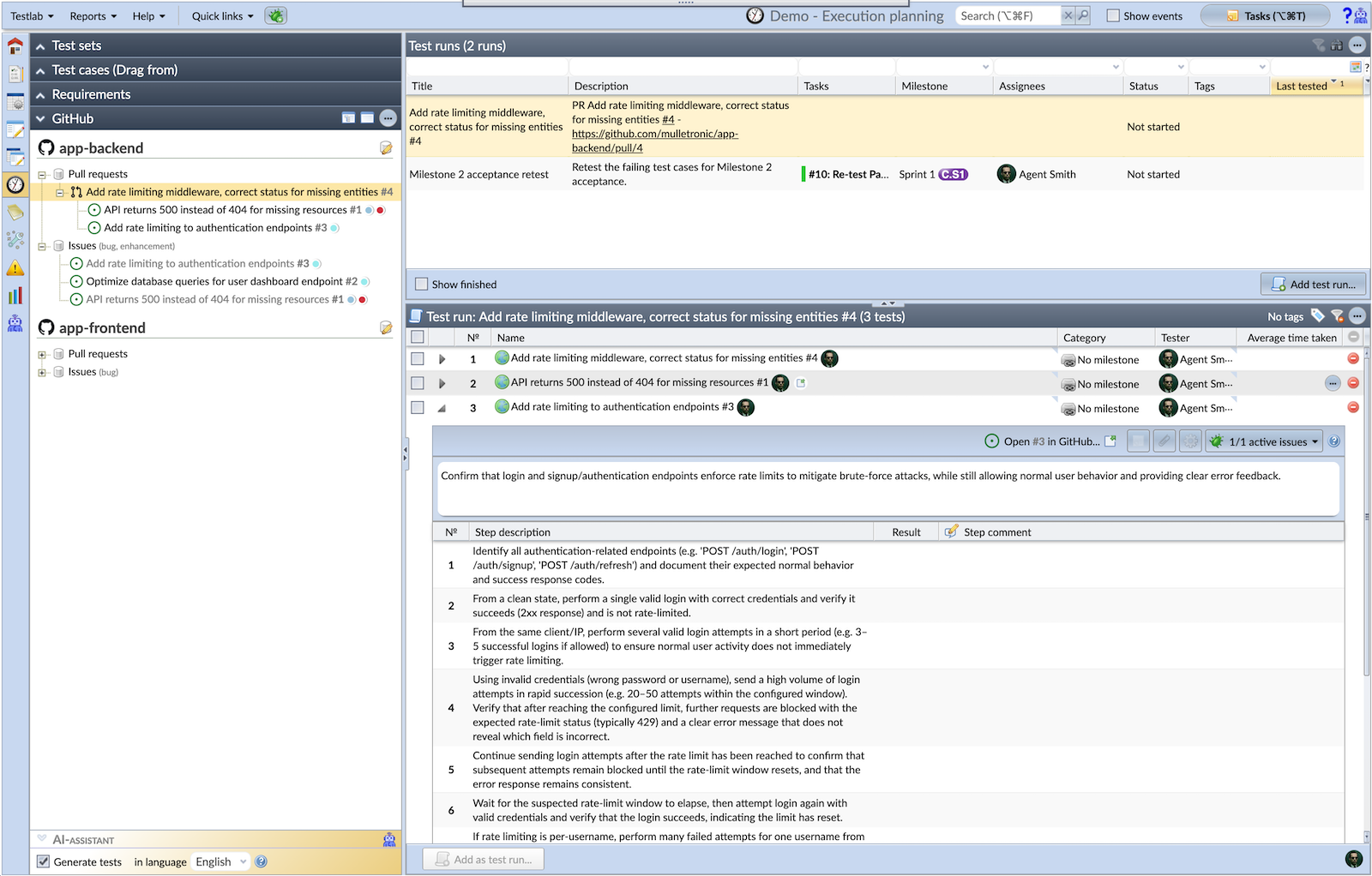
Somerton Man introduces a GitHub integration that connects Testlab with your GitHub repositories, enabling your testing and QA teams to work seamlessly alongside developers using GitHub. The integration is set up by installing the Meliora Testlab GitHub App and granting proper access – both github.com and GitHub Enterprise Server instances are supported. The App installation happens automatically in the onboarding of the integration.
- Test pull requests and report back — create test runs directly from pull requests and report testing status back as GitHub Check Runs, visible to developers on the PR page. Gate merging on test results using GitHub branch protection rules.
- AI-generated test cases — automatically generate test case content – in the language of your choice – from pull request diffs, descriptions, and linked issues using AI. Just drag and drop pull requests or issues to your runs, and the stubs with execution steps for acceptance testing are automatically generated.
- Issue synchronization — GitHub issues are automatically synchronized to Testlab, keeping both systems in sync. Pull issues into your test runs for verification.
- Milestone and label synchronization — GitHub milestones map to Testlab milestones, and labels map to tags, keeping your planning aligned across both tools.
Comprehensive in-app help pages for the GitHub integration are available in Finnish and English, accessible in the built-in help manual. The documentation covers concepts, configuration, milestone sync, issue synchronization, PR-based test runs, and a testing guide.
AI Assistant improvements
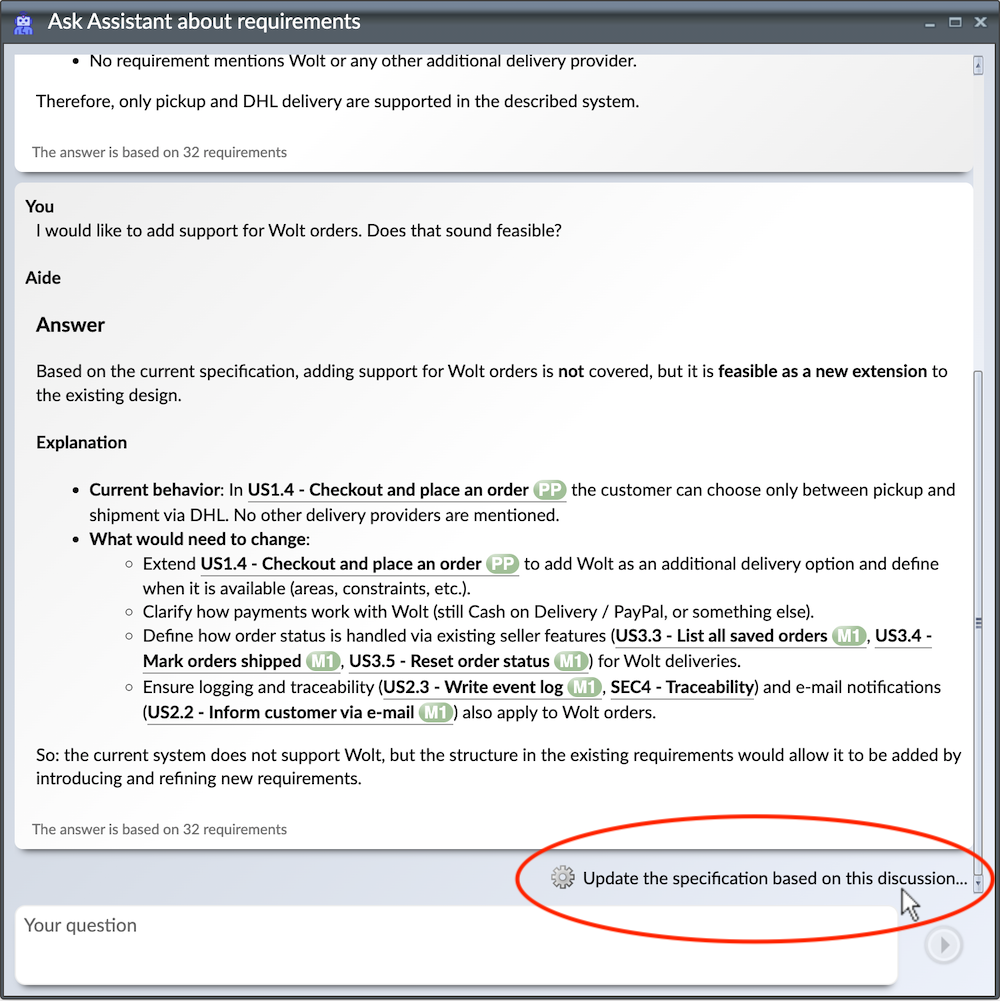
- “Ask Assistant” — update specification from discussion — a new option in the Ask Assistant window lets you update a requirement’s specification directly from a discussion thread. The feature takes in the latest discussion, finds relevant sections in your current specification and starts the wizard to update them.
- Minimize/maximize assistant window — the assistant window supports minimize/maximize with a double-click on the title bar.
- GPT 5.x — the default AI model has been bumped to the latest frontier model.
Other changes
Asset links to external systems
The buttons to open up the external asset something links to (issues, requirements, test cases) are moved to the right-hand side of the title form item. For example, if an issue originates from Jira, the “Open in Jira…” button is shown on the right of the form field in which the issue’s name is visible.
Rich text editor improvements
Ordered list items now render with hierarchical numbering (1.1, 1.1.1, etc.). Paste handling has been improved for the step editor and attachment strips. Focus behavior when tabbing and wheel-scrolling is more robust.
Task board edit mode enhancements
Improved edit mode for task board columns: issue assignee, issue resolution, and requirement assignee fields are now always shown for board columns, not only when a status is set. The rule for applying values to coupled assets based on board column configuration has been refined.
UI framework upgrades
The client-side UI framework has been upgraded to a fresh version for performance enhancements and compatibility.
Thanks for all your feedback,
Meliora team

On December 1, 1948, an unidentified man was found dead on Somerton Beach in Adelaide, Australia. All labels had been cut from his clothing, and no identification was found. In a hidden pocket, police discovered a tiny scrap of paper bearing the Persian words “Tamam Shud” — meaning “it is finished” — torn from a rare copy of the Rubaiyat of Omar Khayyam. The book it came from was found nearby, its back cover inscribed with a mysterious code that has never been cracked. Despite decades of investigation and modern DNA analysis, neither the man’s cause of death nor the meaning of the code has been explained.
(Source & picture: Wikipedia, Photograph is in Public Domain)